Maxo Mart
Universal Battery Tester ANENG BT173 Battery Detector Test C D AA AAA N 9V Cell Button Meter Visual Display Testing Tester Tools
Universal Battery Tester ANENG BT173 Battery Detector Test C D AA AAA N 9V Cell Button Meter Visual Display Testing Tester Tools
Regular price
$17.99 USD
Regular price
Sale price
$17.99 USD
Shipping calculated at checkout.
Quantity
Couldn't load pickup availability
ANENG BT173Battery Tester C D AA AAA N 9V battery Test Detector Cell Button Universal Meter Visual Display Testing Tester Tools
Accurately Test:

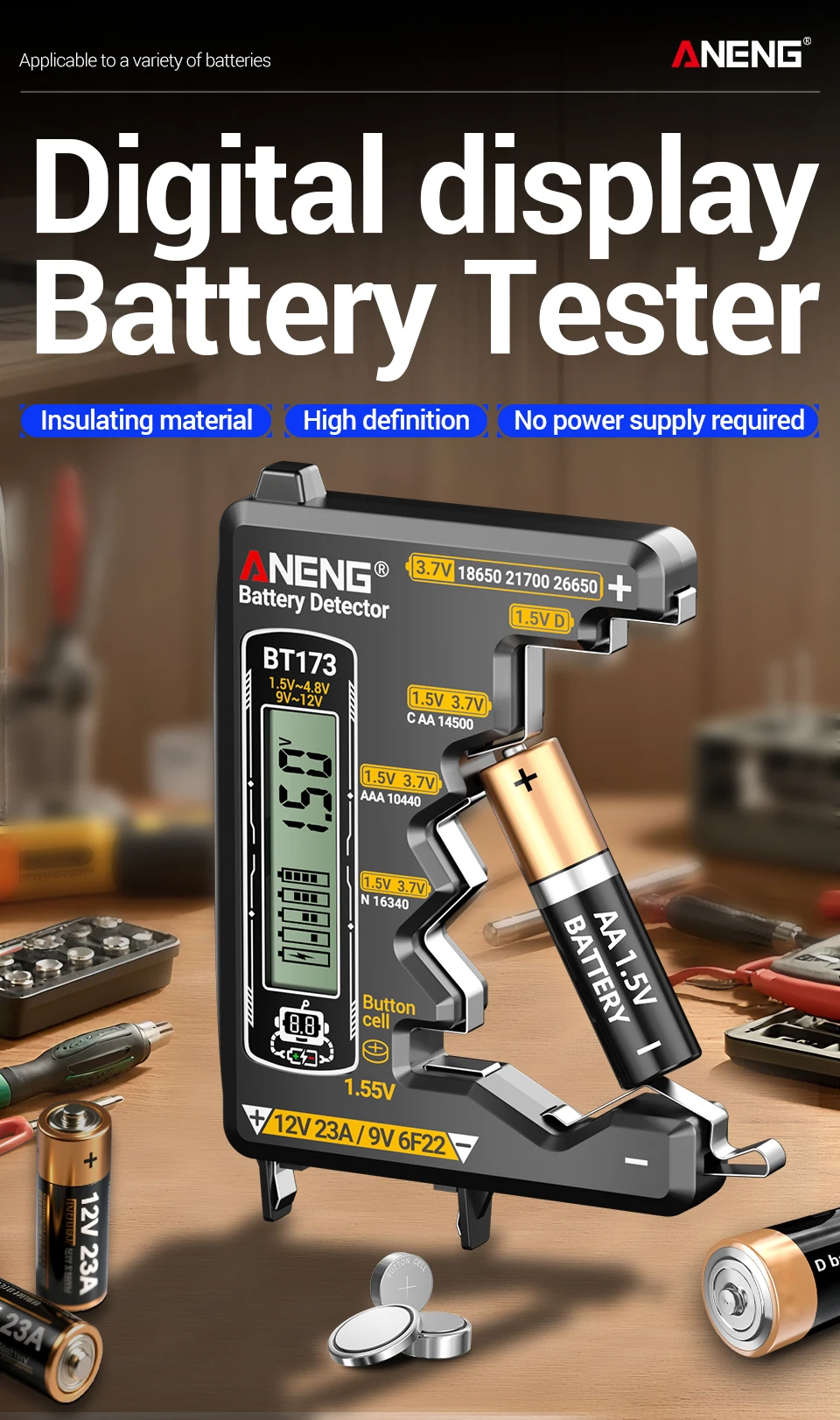
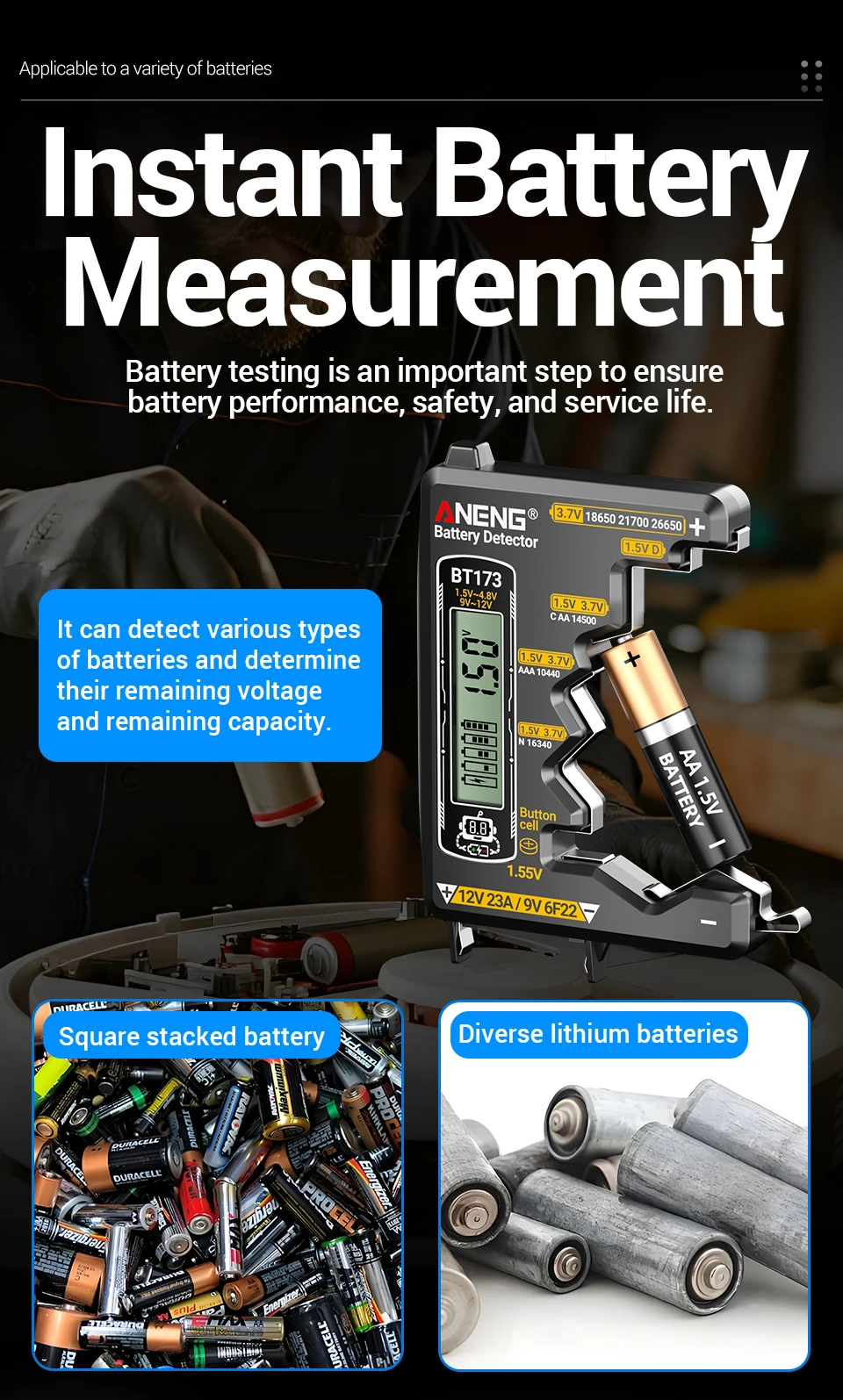
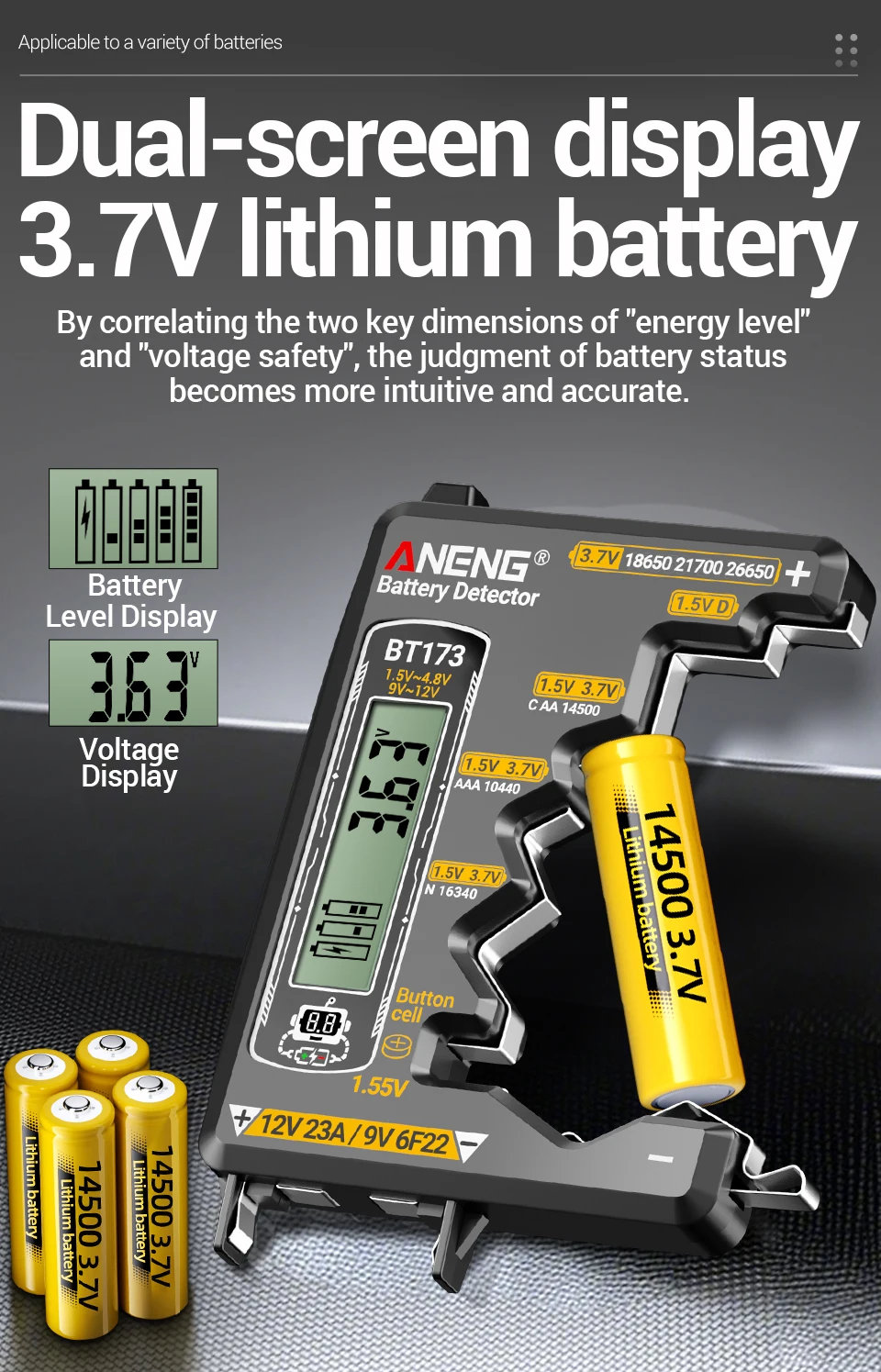
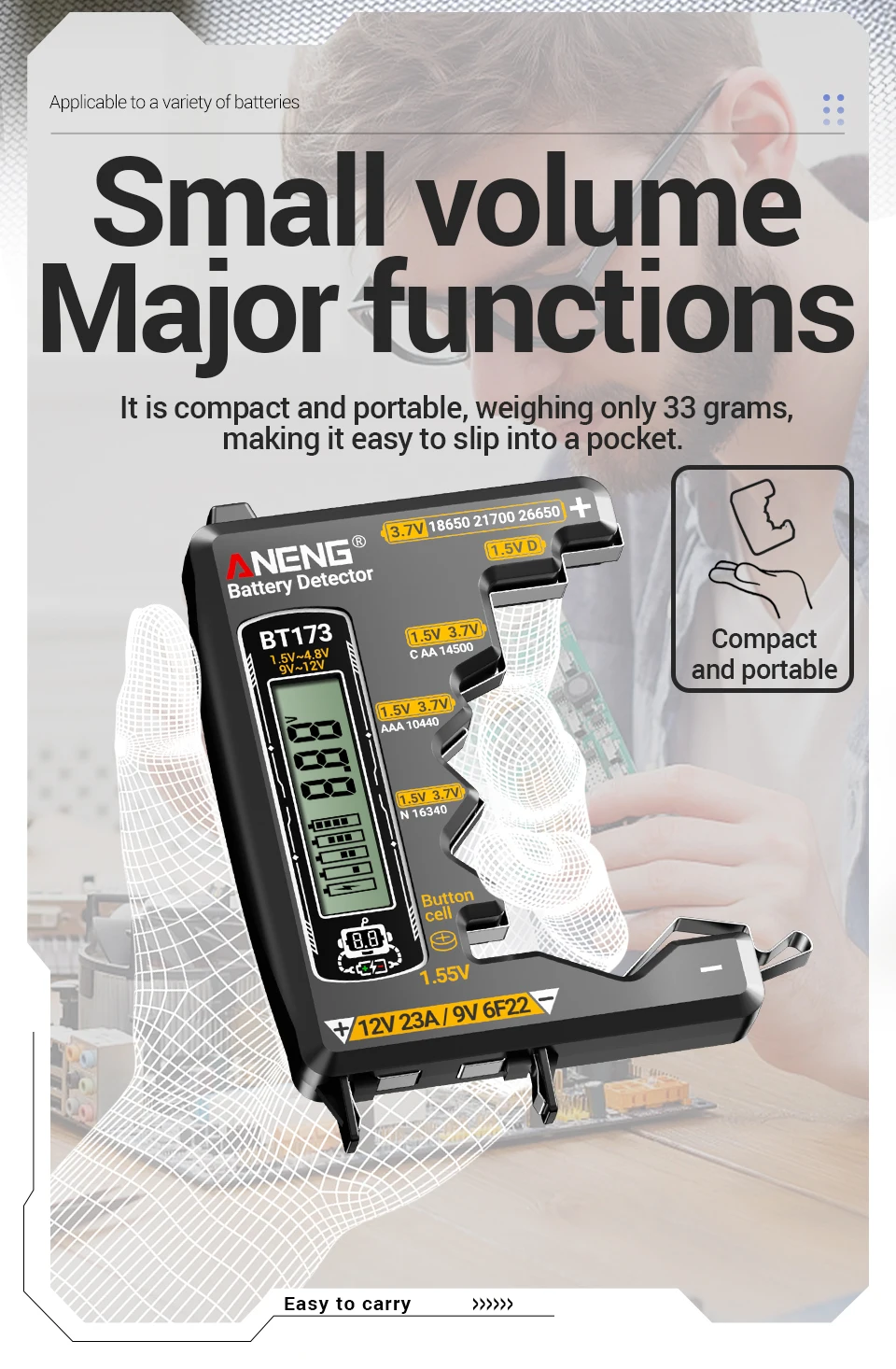
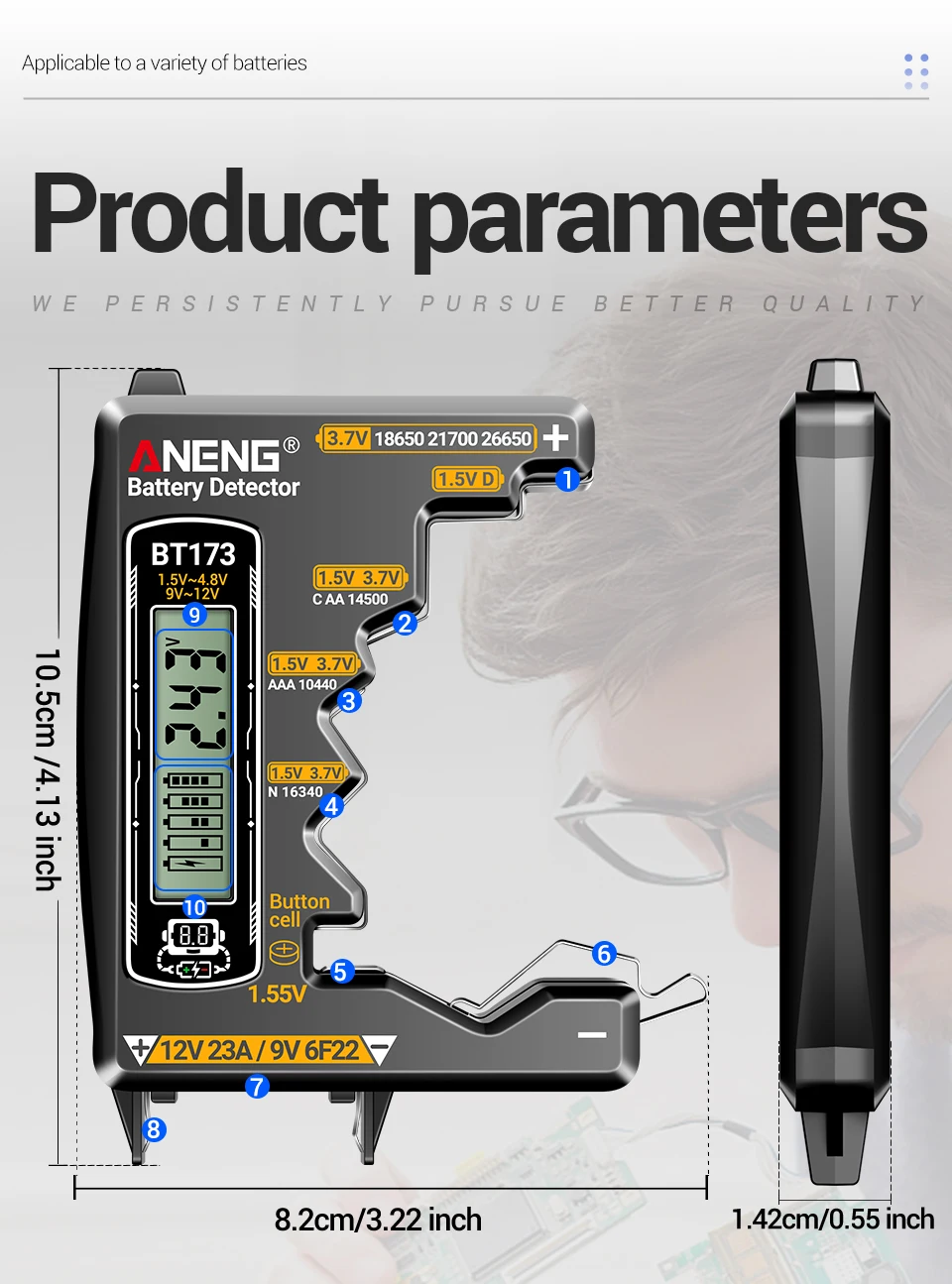
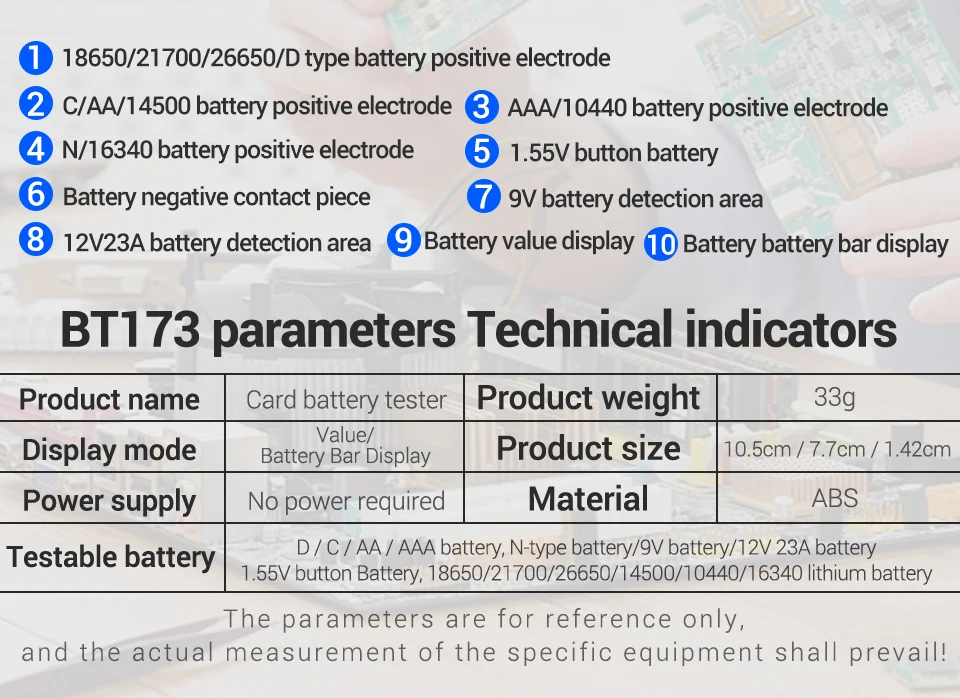
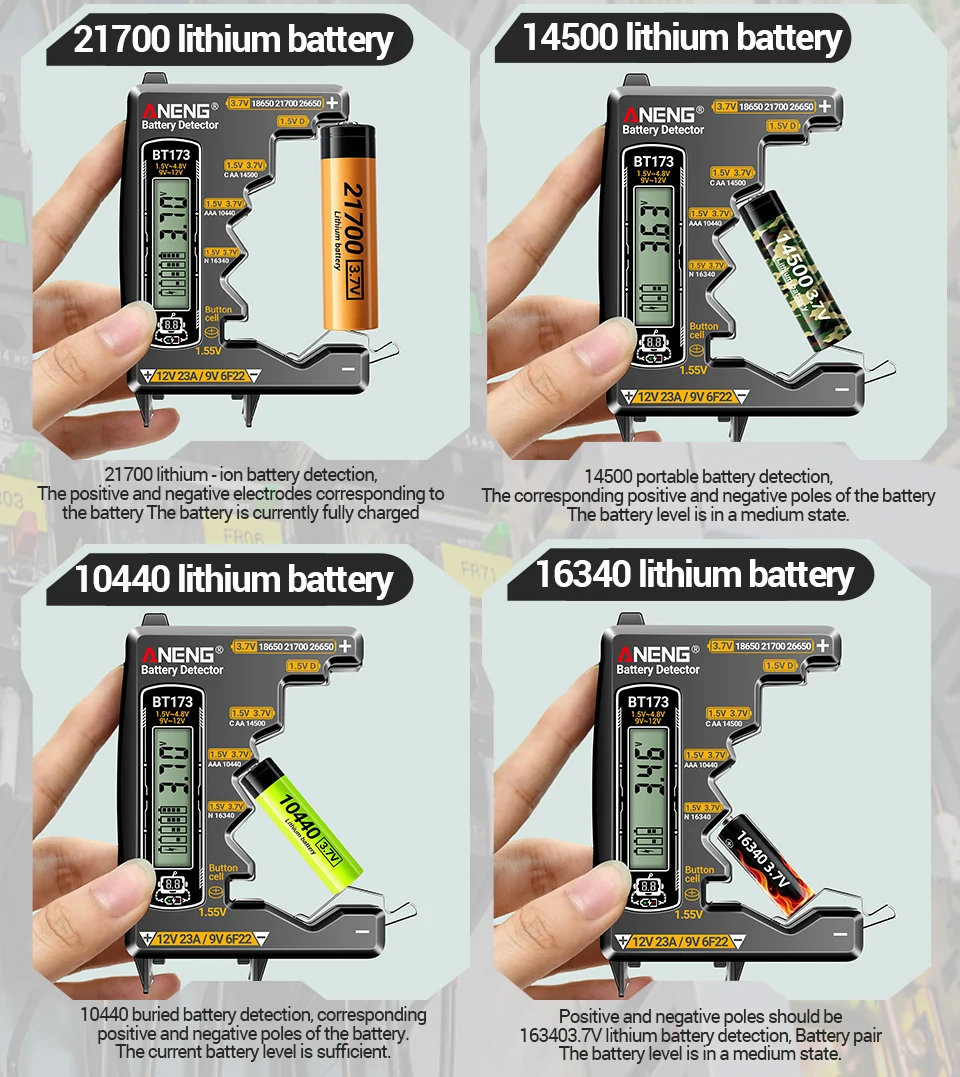
D. C, AA, AAA batteries, N-type batteries, 9V batteries, 12V 23A batteries, 1.55V button batteries, 18650/21700/26650/14500/10440/16340 lithium batteries, made of durable plastic and stainless steel.
Purpose:
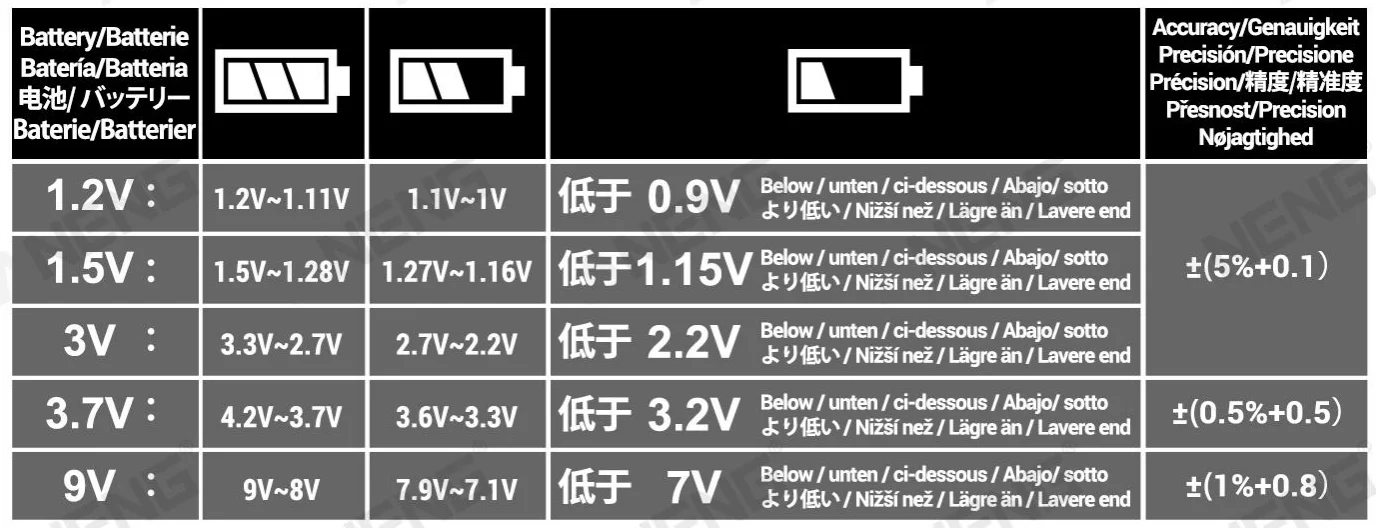
1. Check the power level of 1.5-4.8V and 9V batteries.
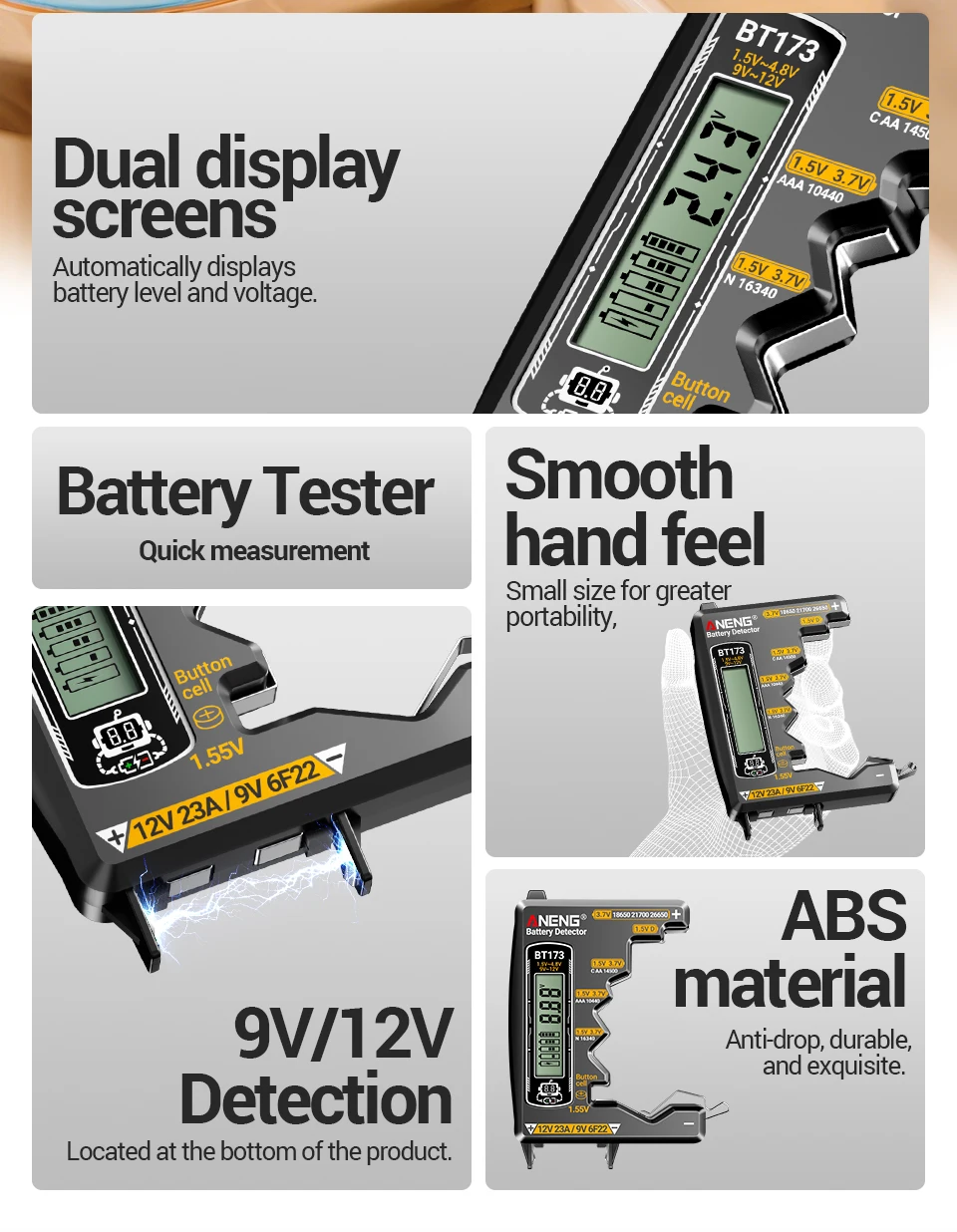
2. Easy to operate, with digital display of power level.
3. Can test button batteries, lithium batteries, dry batteries, etc.
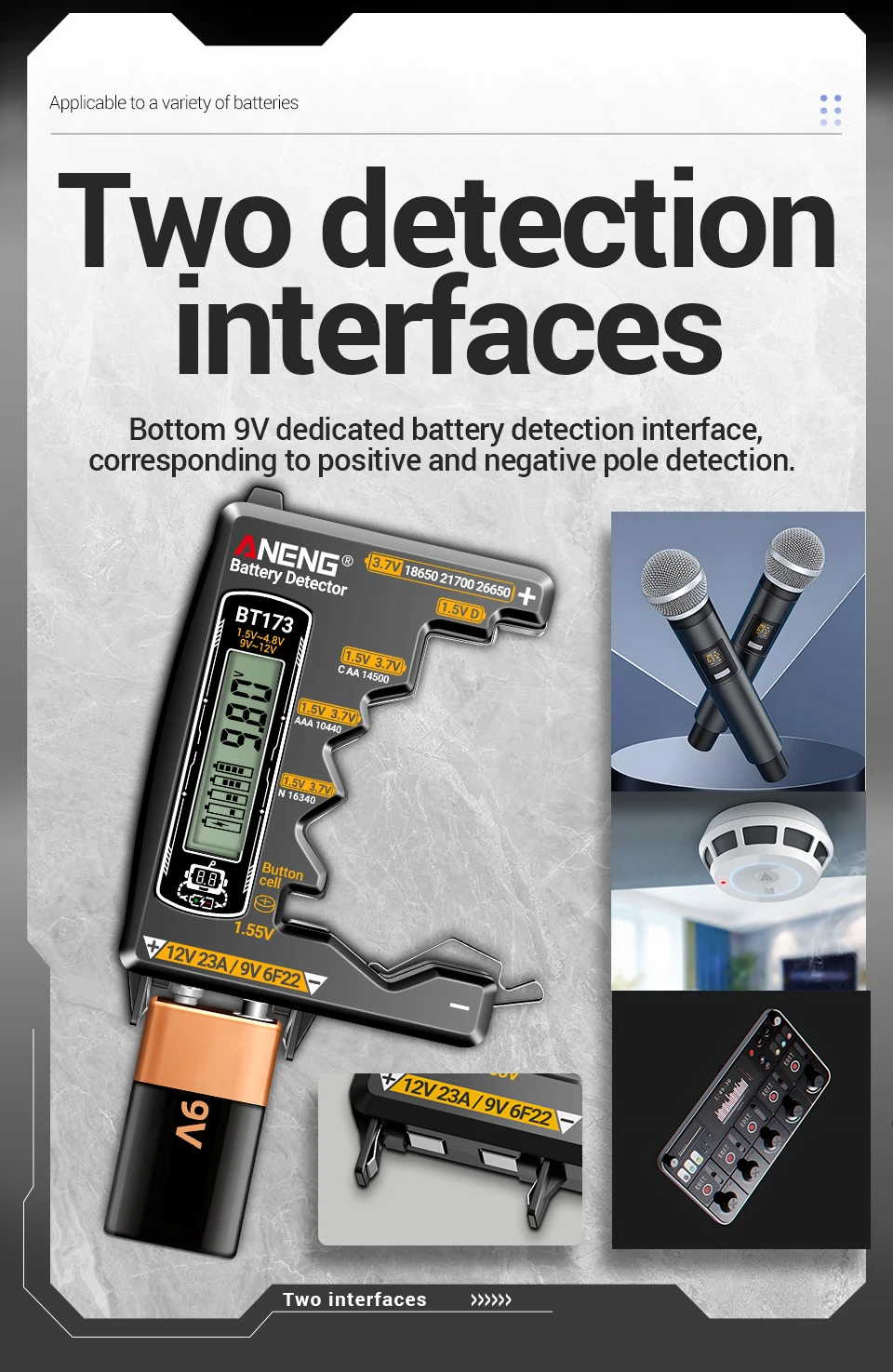
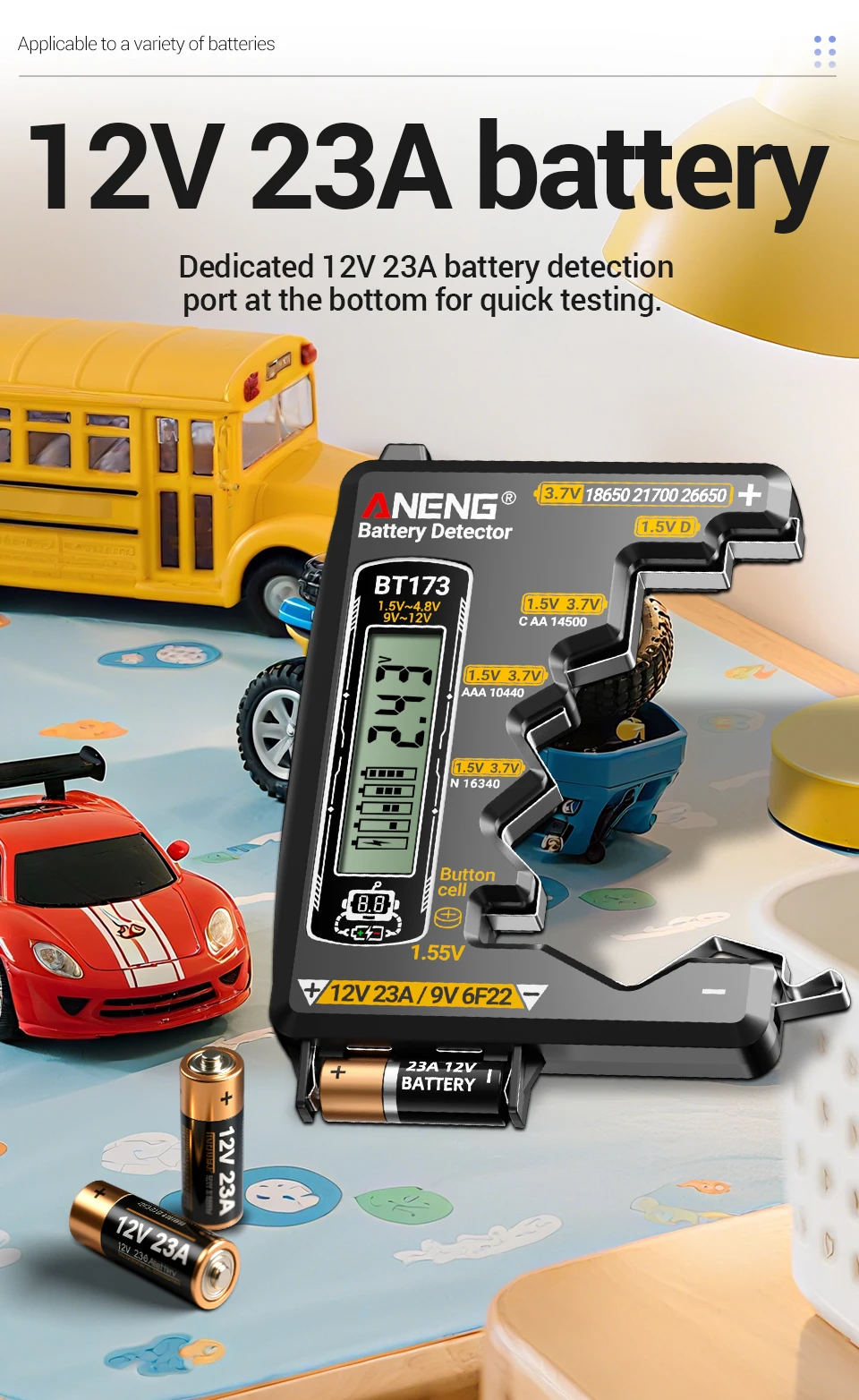
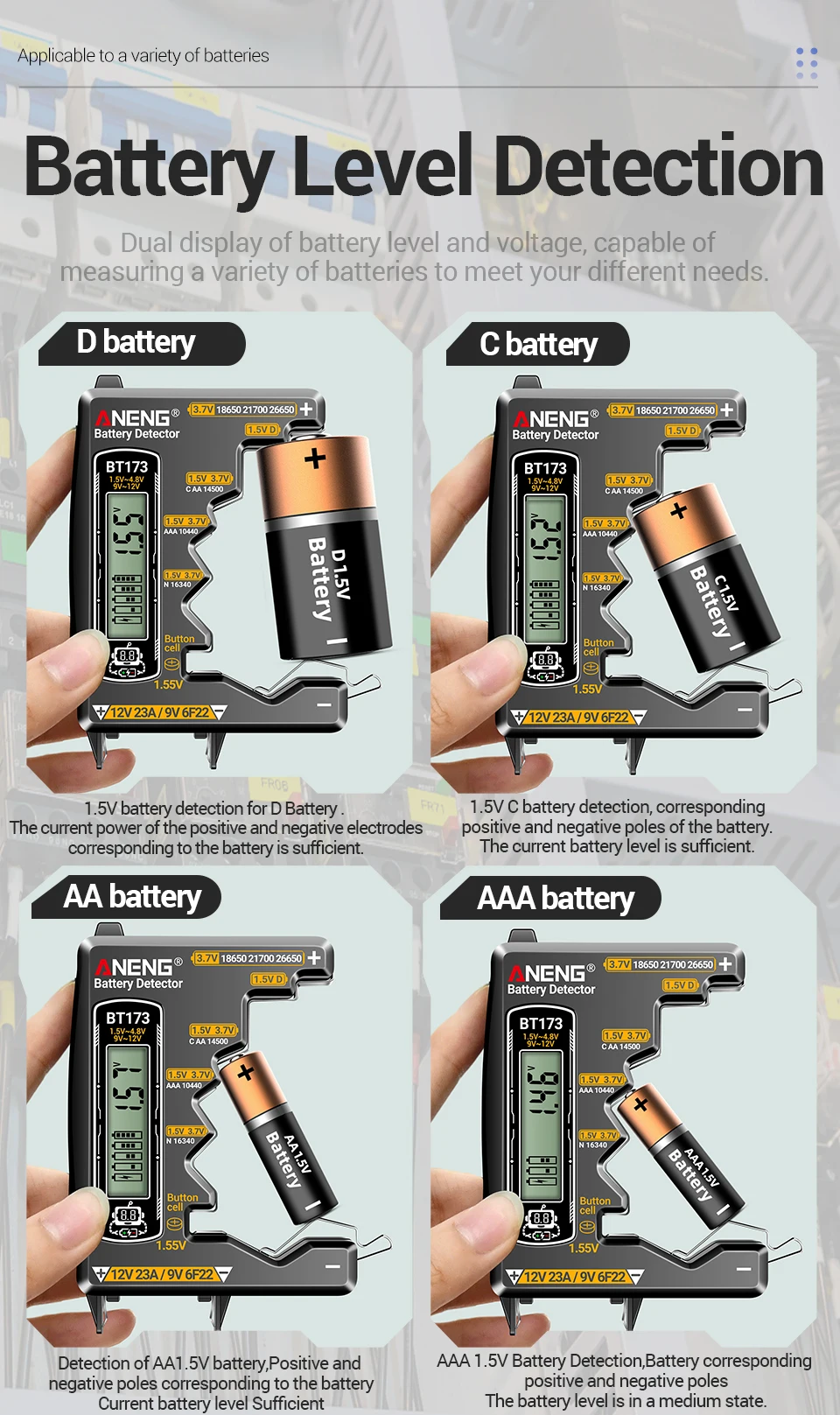
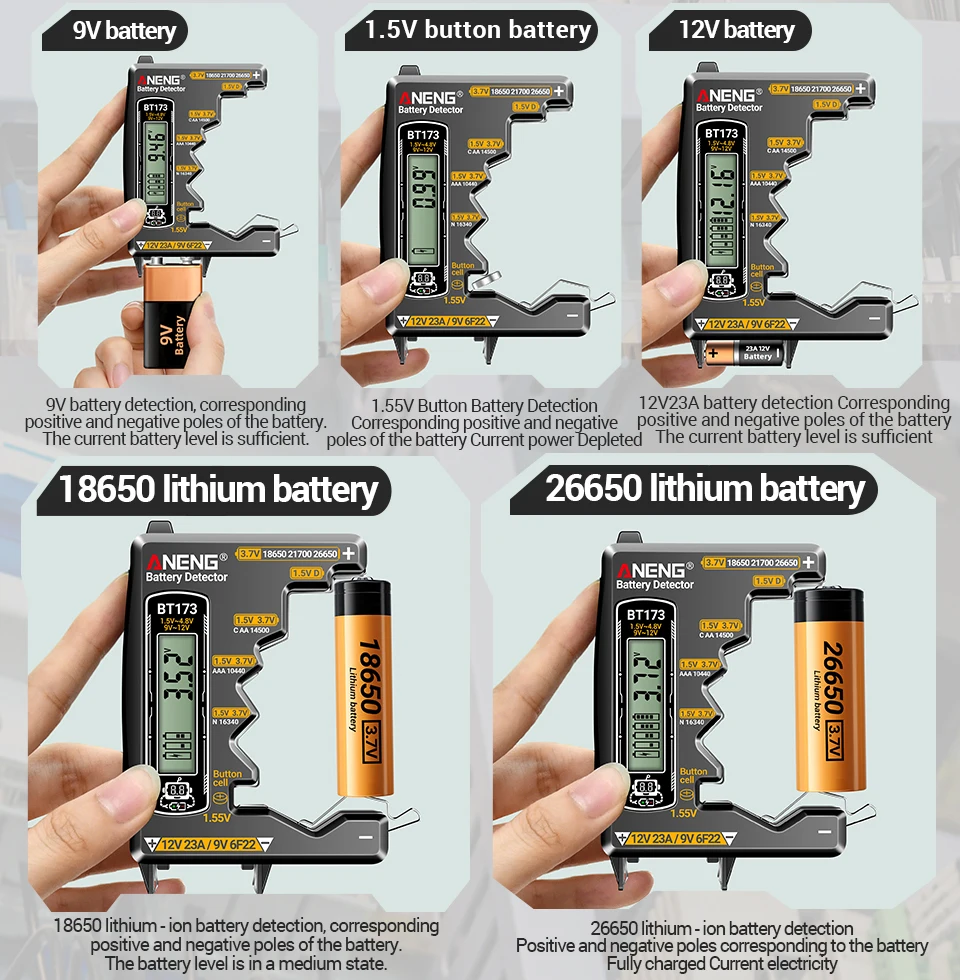
4. Fix the battery in the appropriate position, and the tester will start working. The two measuring points of the 9V battery are located at the bottom of the device. The battery reading will be displayed on the LCD screen.
5. If the battery is dead, please check if the battery is in contact with both contacts before determining that the battery is completely dead.
6. The battery tester is powered by the battery being checked. Please shorten the testing time as much as possible to avoid unnecessary battery depletion.
D. C, AA, AAA batteries, N-type batteries, 9V batteries, 12V 23A batteries, 1.55V button batteries, 18650/21700/26650/14500/10440/16340 lithium batteries, made of durable plastic and stainless steel.
Purpose:
1. Check the power level of 1.5-4.8V and 9V batteries.
2. Easy to operate, with digital display of power level.
3. Can test button batteries, lithium batteries, dry batteries, etc.
4. Fix the battery in the appropriate position, and the tester will start working. The two measuring points of the 9V battery are located at the bottom of the device. The battery reading will be displayed on the LCD screen.
5. If the battery is dead, please check if the battery is in contact with both contacts before determining that the battery is completely dead.
6. The battery tester is powered by the battery being checked. Please shorten the testing time as much as possible to avoid unnecessary battery depletion.
Q1: What should I do if the battery has no response and the screen doesn't light up?
A: Follow these steps to troubleshoot:
Confirm if the battery model is on the support list, unsupported models cannot be tested
Check if the positive and negative terminals of the battery are installed in reverse and if they are fully attached to the contacts
Wipe the battery contacts and metal contacts of the tester with a dry cloth to remove the oxide layer
Replace the battery with a brand new one that is confirmed to be charged for testing, and eliminate the problem of the battery itself being dead
If all the above operations have been tried but there is no response, please contact customer service and send a video of the operation, and we will help you with after-sales service.
Q2: The test results do not match the actual usage experience, such as displaying full power but the device cannot be used?
A: This situation is mostly due to battery issues. The tester displays the no-load voltage/battery level, while some batteries are "virtual":
Old/inferior batteries may have sufficient voltage but cannot carry the load, which is due to the aging/damage of the battery itself
You can compare and test with a new battery to see if the tester displays normally
Package Included:
1 * universal battery tester